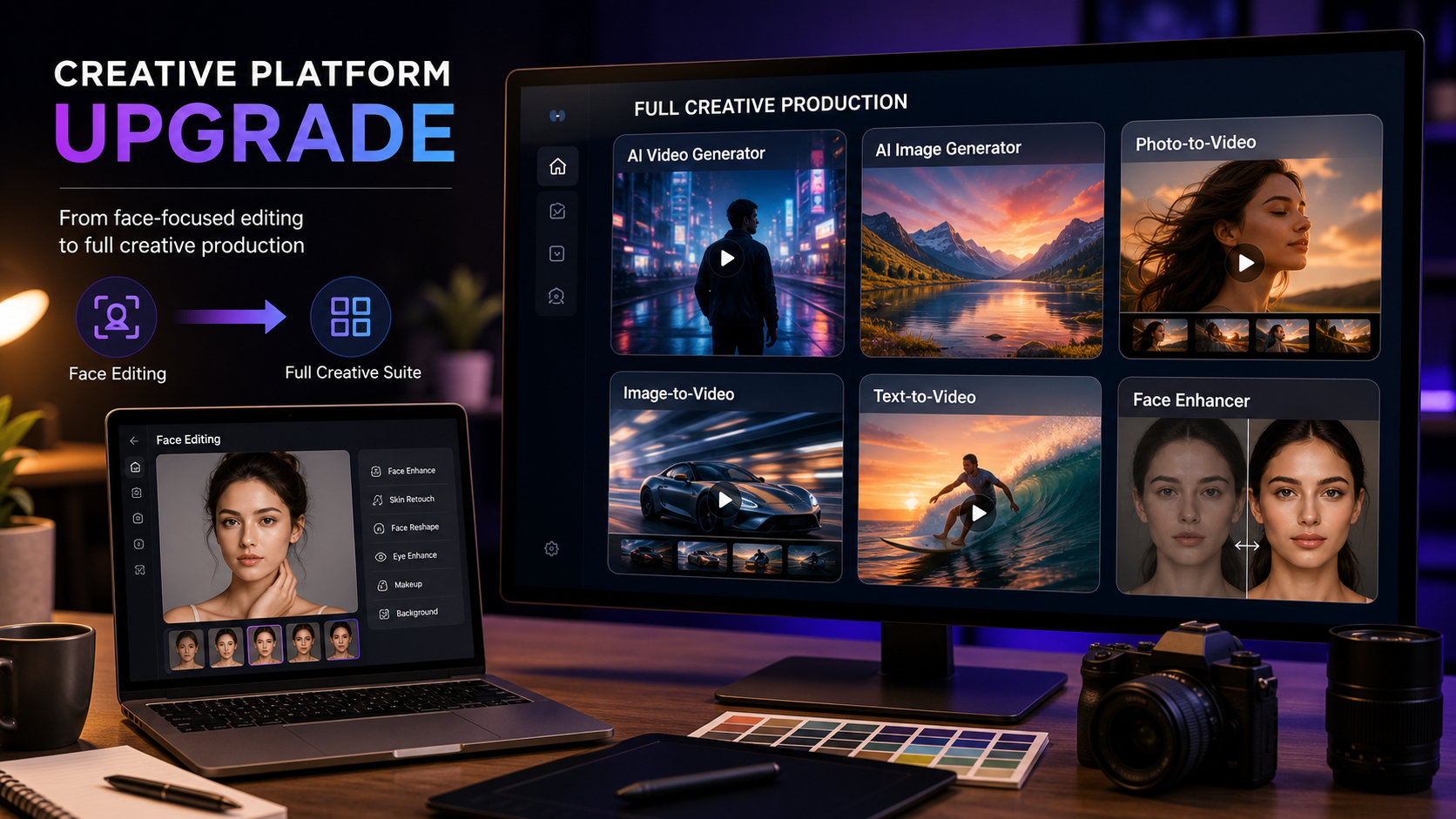
The AIFacefy upgrade to SeeVido is best understood as a workflow upgrade: users who originally came for face-focused AI tools can now explore a broader creative platform for AI video, AI image generation, photo-to-video, image-to-video, text-to-video, face enhancement, and social content creation. Instead of treating AIFacefy-style tools as a single-purpose face workflow, SeeVido AI gives creators a wider place to build polished visual drafts.
This guide is for existing AIFacefy users, AI face-editing users, creators, marketers, ecommerce sellers, social media teams, agencies, and casual users who want easier AI image and video creation. Important caution: do not assume automatic account migration, transferred credits, old login compatibility, pricing, subscriptions, watermark-free export, commercial rights, or full feature parity unless the live SeeVido pages confirm those details.

What AIFacefy Upgrade to SeeVido Means for Users
For most readers, the phrase “upgrade” should mean a broader creative direction, not a confirmed account-transfer process. AIFacefy-style tools are naturally associated with face-focused workflows, while SeeVido AI positions the experience around a wider set of image and video creation tools.
That change matters because creators rarely need only one face tool. A profile image may become a social avatar, a product image may become a short video ad, and a portrait concept may need enhancement, image generation, prompt reconstruction, or motion. SeeVido is useful because it points those related jobs toward one creative workspace.
If you are searching for “AIFacefy to SeeVido,” start by treating SeeVido as the main destination for future visual production. Then verify current account, pricing, subscription, privacy, and export details directly on the live site before assuming anything from the older workflow carries over.

Why SeeVido AI Video Generator Is the Main Creative Upgrade
The biggest practical upgrade is moving from face-focused editing into video creation. The SeeVido AI video generator is the natural place to start if you want to create AI videos for social posts, product concepts, creator clips, or marketing drafts.
For users who already have photos or images, SeeVido’s adjacent video tools matter too. Photo to Video can help turn a still photo into motion, Image to Video supports image-based video workflows, Text to Video is useful when you want to start from a prompt, and Video to Video fits users who want to transform existing video material.
This is why SeeVido works as an AIFacefy alternative for AI video: it expands the job from “edit a face” to “create a complete visual asset.” A creator can enhance a portrait, turn it into a short visual story, and test video ideas without jumping between unrelated tools.

SeeVido AI Image Generator for Visual Drafts and Social Content
SeeVido is also useful for users who need image-first workflows. The SeeVido AI image generator can support concept images, social visuals, product ideas, profile assets, campaign drafts, and creative directions before a video is made.
For face-tool users, this is the next logical step. A cleaned-up portrait can become part of a broader image workflow, while product marketers can create supporting visuals for ecommerce, thumbnails, ad mockups, and short-form content. The Image to Prompt page is also useful when a creator wants to analyze a reference image and rebuild a stronger visual prompt.
Think of SeeVido as an AIFacefy alternative for AI image creation when your goal is not only to enhance a face, but to create images that can support social campaigns, ecommerce listings, video thumbnails, and brand storytelling.

AI Face Enhancer and Face Tools Still Matter
Moving to a broader platform does not mean face tools stop mattering. Face enhancement remains important for profile photos, social avatars, creator portraits, ecommerce people shots, UGC-style visuals, and any workflow where a person’s face needs to look clean and natural.
SeeVido’s AI Face Enhancer is the most relevant page for users who still need a face-focused workflow. The AI Face Rating page may also interest casual users exploring face-related tools, though results should be treated as entertainment or guidance rather than objective personal judgment.
The practical difference is continuity. A face-enhanced image can become the start of a broader AI image or video workflow. For example, a creator can improve a portrait, use it as a social image, animate it into a short clip, or use it as a reference for future content planning.

Better Workflows for Creators, Marketers, and Ecommerce Teams
The strongest reason to upgrade from a single-purpose AI face tool to SeeVido is workflow coverage. A creator may need a portrait, a product image, a short video, a prompt, and a social-ready export direction in the same campaign.
For ecommerce sellers, SeeVido can support product images, product-to-video concepts, short product clips, and campaign visuals. For marketers, it can support social content, creator-style assets, video ideas, and visual variations. For agencies, it gives a broader workspace for drafts before client review.
Use SeeVido as an AI video workflow for marketers when you need repeatable creative testing. Start with a product or portrait, generate a visual draft, test a video concept, review quality, and then decide what should move into final editing or publishing.

What to Verify Before You Switch or Publish
Before treating SeeVido as a direct replacement for an older AIFacefy workflow, verify the practical details. Check current pricing, credit rules, subscriptions, commercial-use permissions, privacy settings, export rules, watermark rules, model availability, refund terms, and supported features on the live site.
Use official pages such as SeeVido AI Pricing, Terms of Service, and Subscription Terms when discussing payments, subscriptions, credits, refunds, commercial use, or legal terms. Do not claim free unlimited access, watermark-free export, transferred credits, account migration, API access, or old login compatibility unless SeeVido confirms it.
Related SeeVido reading includes AIFacefy AI Image Generator 2026, GPT Image 2 Photo Editing Guide, Mind Video AI Review, Seedance Prompt Guide, Best 10 Seedance 2.0 Prompts, and Seedream 4.5 Face Photo Enhancement.
People also read best AI image-to-video models, Flyne AI Video Generator Guide, professional AI image generation workflows, context-aware AI creative models, Grok Imagine 1.5 creator workflows, and AI video generator trends.
FAQ
Is AIFacefy automatically migrating to SeeVido?
Do not assume automatic migration unless SeeVido publishes a confirmed migration notice. This article frames the change as a workflow upgrade to a broader creative platform.
Can I use my old AIFacefy login or credits on SeeVido?
Verify that on the live SeeVido site. Do not assume old logins, credits, subscriptions, or usage history transfer automatically.
Why use SeeVido instead of a face-only AI tool?
SeeVido gives creators a broader workflow for AI video, AI image generation, face enhancement, photo-to-video, image-to-video, text-to-video, and social content creation.
Is SeeVido only for professional creators?
No. It can be useful for casual users, social creators, ecommerce sellers, marketers, and agencies, but every output should still be reviewed before publishing.
Conclusion: The AIFacefy upgrade to SeeVido is a smarter creative direction for users who want more than face-focused editing. SeeVido AI gives creators a broader workspace for video, image, face enhancement, prompt, and social content workflows, while users should still verify pricing, credits, rights, privacy, and export details before committing to a publishing workflow.